Vinyl troubleshooting · 2026 guide
Why is my vinyl skipping?
6 causes, from the most common to the least: wrong tracking force, dust, worn stylus, speaker feedback, unlevel turntable, damaged record. And the fix for each.
6 causes · one diagnostic
When a record skips, the cause is usually the setup, not a damaged record. Wrong tracking force, dust, speaker feedback, an unlevel turntable. Here is the 6-step diagnostic to find which one it is.

Short answer: why does my record skip?
Most of the time it is the setup, not the record. Check in this order: tracking force (set it within the range the cartridge manufacturer specifies; too light is the most common cause), dust in the groove, a worn stylus, speaker vibration, an unlevel turntable — and only then the record itself. Play a record you know is good first: if it skips too, the problem is the setup, and most of the fixes take a few minutes.
6 causes of vinyl skipping, from most to least common
Cause 1 — Wrong tracking force (the most common)
Vertical tracking force (VTF) is the downward pressure the stylus applies to the groove. Every cartridge has a recommended range, given by its manufacturer in the manual or the spec sheet: follow that range, there is no universal value. Too light and the stylus bounces in the groove: skipping and distortion. Too heavy and both the record and the stylus wear faster. On many entry-level turntables you balance the tonearm yourself, and it is easy to leave it too light. A digital stylus force gauge costs about $15–30: place it on the platter, lower the stylus onto it and move the counterweight until the reading is inside the cartridge's range. Then set the anti-skate as the turntable manual says (on most tonearms, to the same figure as the tracking force) and play the record again.

Cause 2 — Dust in the groove
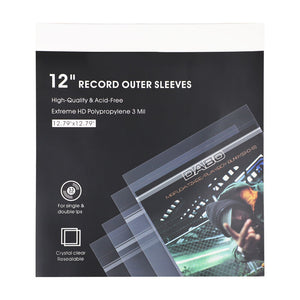
Static-charged dust accumulates in record grooves between plays. The stylus hits the particles, bounces and skips. Solution: an anti-static carbon fiber brush before every play. It takes 30 seconds and deals with most dust-related skips. If your records sit in open air, you'll see dust however clean the room is: the static charge attracts particles. Outer plastic sleeves cut down the dust that settles between plays. Look at the stylus too: fluff gathered on the tip makes it ride over the groove; remove it with a stylus brush, always from back to front.
Cause 3 — Worn stylus
A worn stylus has microscopic flat spots and can't track the groove cleanly. How long a stylus lasts depends on the tip profile and on the manufacturer: go by the hours the maker gives for your model. Symptoms beyond skipping: sibilance on "s" sounds, loss of high-frequency detail, a muddy sound. A loupe shows dirt or a bent cantilever, but real wear is hard to see without a microscope: if the stylus is past its rated hours or you hear those symptoms, replace it. A replacement stylus for a moving-magnet (MM) cartridge costs roughly $25–150; on most moving-coil (MC) cartridges the stylus cannot be swapped at home, and the cartridge is retipped or replaced.
Cause 4 — Speaker feedback
If the skipping only happens at high volume, suspect feedback. Vibration from the speakers travels through the floor or the furniture into the turntable, the cartridge picks it up, the tonearm shakes and the stylus jumps. Solutions: (1) put the turntable on a different piece of furniture from the speakers, as far from them as the room allows; (2) use a wall-mounted turntable shelf, which takes the floor out of the path; (3) add isolation feet under the turntable; (4) put the speakers on isolation pads. Easiest fix: move the turntable.
Cause 5 — Unlevel turntable
On an unlevel turntable the stylus leans on one groove wall more than the other. The tonearm pulls inward or outward, and sometimes it skips at specific spots. Fix: put a bubble level (or a phone app) on the platter and adjust the turntable feet until it reads level in both directions; if the feet are fixed, level the furniture underneath. Check again whenever you move the deck. It takes a few minutes and rules out a whole category of skips.
Cause 6 — Damaged record
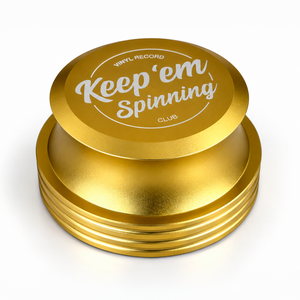
Last cause to consider — and the only one that's not fixable via setup. Visual inspection under raking light reveals deep scratches that cause skipping. Test: if, once it is clean, the same record skips at the same spot every play, it's the record. If the skip moves around or happens on multiple records, it's setup. For damaged records, options: try a different cartridge (different stylus profile may track damaged groove differently), or accept it and source a replacement copy. A record that is slightly dished rather than scratched is a separate matter: some listeners rest a 425 g aluminum record weight over the spindle to press the disc onto the mat, but no weight repairs a damaged groove.
The 6-step diagnostic flow
Step 1: Test with a known-good record (one that played fine recently). Step 2: Clean it with an anti-static brush. Step 3: Check VTF with a digital gauge. Step 4: Check the level with a bubble level. Step 5: Test at low volume (rules out speaker feedback). Step 6: Check the stylus: clean tip, straight cantilever, hours played. By step 5 you have covered the most common causes; step 6 catches stylus wear.
Frequently asked questions
Why does my vinyl skip on every record?
My record skips in the same spot every time — is it scratched?
Why does my record only skip at high volume?
Can a worn needle cause skipping?
How do I measure tracking force?
6 causes. One diagnostic. Skipping solved.
Tracking force, dust, stylus, feedback, level, damage. Work through the diagnostic in order and by step 5 you have covered the most common causes. Setup before suspicion: most of the time it's not the record.
Free download: Turntable Setup & Skip-Fix Checklist
Two printable pages, no email needed: first-time setup step by step, the six causes of skipping ranked, the diagnostic in the right order, stylus life by profile and a 5-criteria scorecard for buying a deck.
Download the PDF (free)In stock · ships in 24–48 h
Accessories for your collection, ready to ship today.